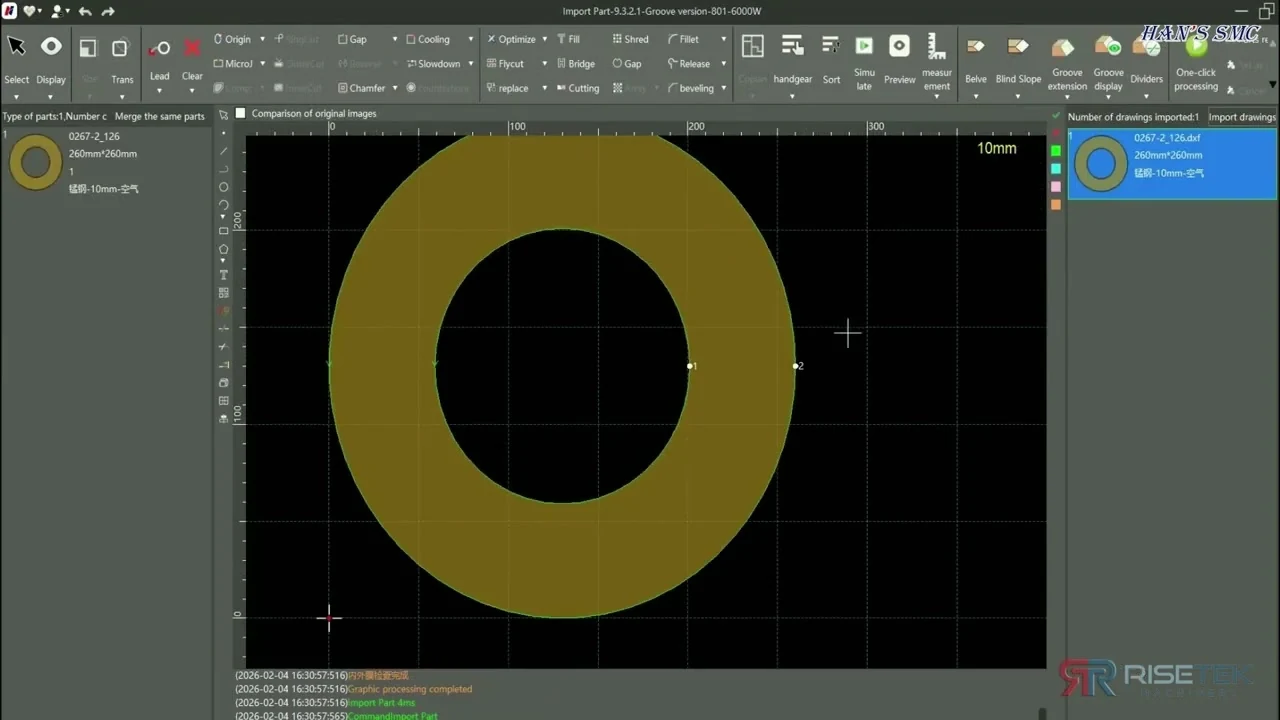
The stage where most job problems start, and the cheapest one to fix them in. Import, geometry correction, and letting the software read part attributes rather than typing them.
This is the stage where most job problems are created, and the cheapest stage to fix them. Geometry arriving from a customer’s CAD system will not always be clean: contours that look closed on screen may not be, lines may be duplicated on top of each other, and scaling is not always what the drawing says.
Tutorial 021:19
Part Import
Editing what came in
Part editing is where geometry gets corrected before it reaches the nest. On a laser, an open contour is not a cosmetic problem — the machine needs a closed path to cut a hole or an outline, and a duplicate line means the beam runs the same cut twice.
Tutorial 031:49
Part Edit
Letting the software read the part
Part information recognition takes attributes from the incoming file rather than requiring them to be entered by hand. On a job with many parts, that is the difference between a few minutes of setup and a long session of manual entry, and it removes a source of transcription error.
Tutorial 081:29
Part Information Recognition
Worth checking every time
Closed contours, no duplicate geometry, correct scale, correct material and thickness. Four checks, under a minute, and they catch most of what goes wrong later.
DXF and DWG are the standard exchange formats for laser cutting work and what most customer files arrive as. The import tutorial covers bringing them in; if you are receiving a format you cannot open, send it to our team and we will advise.
Why does my part not cut as a closed shape?
Almost always an open contour. The geometry looks closed on screen but the endpoints do not actually meet, so the software has no closed path to cut. That is a geometry repair at the editing stage, not a machine fault.
What is part information recognition for?
It reads part attributes out of the incoming file instead of requiring them to be entered by hand. On jobs with many parts it saves substantial setup time and removes transcription errors.
What should I check on every imported part?
Closed contours, no duplicated geometry, correct scale, and correct material and thickness. Those four checks take under a minute and catch most of what causes scrap later.
Can I fix bad CAD in LaserNest, or should it go back to the customer?
Minor geometry repair is quicker to do in the software. Persistent problems from a regular customer are worth raising with them, because you will otherwise repeat the same repair on every job.
Running a Han’s Laser machine in Canada?
Operator training is included with every machine we deliver, and our technicians support LaserNest alongside the hardware.